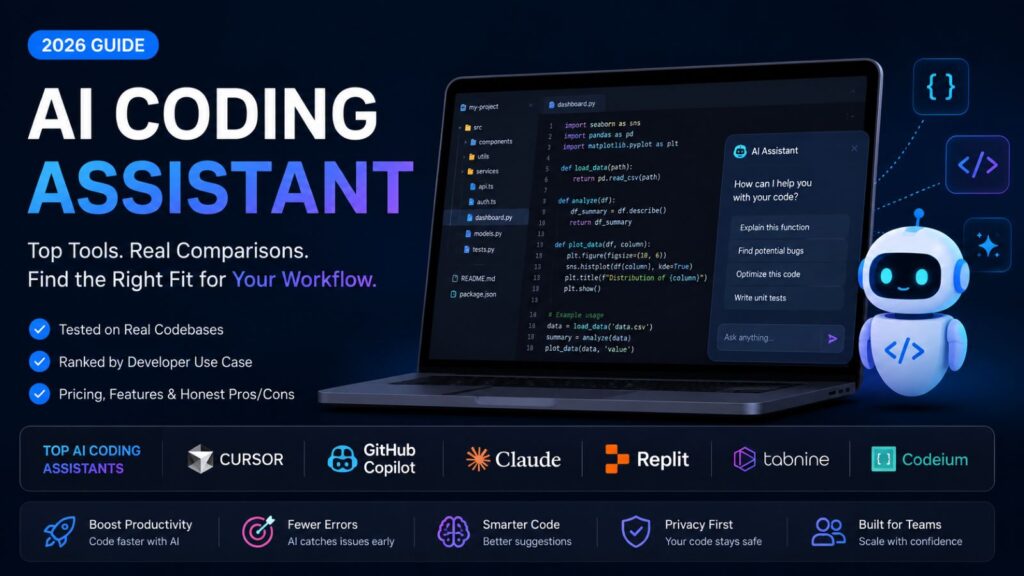

AI coding assistant have gone from autocomplete gimmick to full autonomous agents — but with over 1,000 tools now available, most developers are using the wrong one for their workflow. This guide cuts through the noise: we tested the top tools on real codebases, ranked them by use case, and built a decision framework so you find the right fit in under five minutes — whether you’re a solo dev, a growing startup team, or a 200-engineer enterprise org.
The good news: the right AI coding assistant for your situation does exist. But “right” depends on whether you’re a solo freelancer, a startup team of ten, or an enterprise org with strict data privacy requirements and no single tool wins across all three.
In this guide, you’ll get a tested, honest ranking of the six best AI coding assistants in 2026. You’ll learn exactly what each one is great at, what it gets wrong, what it costs at scale, and — most importantly — which one fits your workflow right now.
Quick Summary Table
| Attribute | Detail |
| Best overall | Cursor (agentic, multi-file, fast) |
| Best free option | Codeium / Gemini Code Assist |
| Best for enterprise | Tabnine (privacy) / Augment Code (large codebases) |
| Best for Python | GitHub Copilot / Cursor |
| Best CLI-first | Claude Code |
| Developer adoption | 84% use or plan to use AI tools (Stack Overflow 2025) |
| Trust gap | Only 29% of devs trust AI accuracy — always verify |
| Market growth | CAGR 32.8% through 2030 |
What Is an AI Coding Assistant and Why Does It Matter in 2026?
An AI coding assistant is a tool for developers. It uses computer models to help you write, check, fix and make your code better. This happens inside the program you use to write code or in your terminal window.
You can think of it like a coding buddy thats always there to help. It solves problems for you makes your messy code neat and helps you understand your project quickly. It does all this without criticizing how you write code or what you name your variables.
An AI coding assistant is, like a partner that helps with coding.
It helps you with coding tasks.
From autocomplete to autonomous agent: how the role changed
Back in 2022 coding tools that used intelligence were pretty basic. They were like smart autocomplete systems that could help you with the next line of code.. That was about it.
Now it is 2026. Things are really different.
Today most of the coding assistants have something called an agentic mode. This means the coding assistants can do a lot of things on their own. The coding assistants can plan what to do write the code test it and even make changes to a lot of files at the time.. You can tell the coding assistants what to do just by giving them a simple instruction, in plain English. Instead of just completing code, they can now handle complex development tasks with minimal input.
GitHub launched Agent Mode with multi-agent workflows in February 2026. Cursor shipped background agents running on isolated VMs. The question is no longer “does it autocomplete?” but “how much of my development workflow can I safely delegate?”
The problem most developers have: choosing the wrong tool
Here’s where most devs go wrong: they pick the most-hyped tool, not the best-fit tool.
A senior engineer maintaining a 500K-line Java monorepo needs something completely different from a freelancer building a Next.js side project. Using the wrong tool doesn’t just waste money — it actively slows you down.
How We Tested: Our Methodology Explained
We tried out each tool on code to see how it works. The tools were tested on a Python project with around 12 thousand lines of code. We also tried them on a TypeScript project and an old Java service. The tools had to do the tasks like writing new code and making old code better. These tasks included writing functions for the codebases, refactoring the existing logic, in the codebases and generating unit tests for the codebases.
Test scoring criteria
We scored each tool on five dimensions:
- Suggestion accuracy — did the first suggestion work without editing?
- Context depth — did it understand code written two files away?
- Agentic capability — could it complete a multi-file task autonomously?
- Privacy posture — is your code used to train models?
- True cost at scale — what does it actually cost for a team of 10 or 50?
Best AI Coding Assistants in 2026 — Ranked and Reviewed
Here are the six tools that consistently topped our tests. Each review includes what it’s actually good at, not just what the landing page claims.
1. Cursor — Best Overall AI Pair Programmer
Lots of developers are using Cursor these days. The company that makes Cursor is doing well they made more, than $2 billion by March 2026.
What makes it stand out
The Composer feature in Cursor is really helpful because it lets you describe a change in simple words. You can use Cursors Composer feature to make a change, to many files at the same time. Its background agents run on isolated VMs, so they don’t block your active work. Context handling is genuinely excellent — it reads your entire repo, not just the open file.
It also gives you access to top models, like Claude Sonnet 4 and GPT-4o so you are not stuck with just one LLM.
Pricing & who it’s for
| Plan | Price | Best for |
| Free | $0 | Trying it out |
| Pro | $20/mo | Solo devs, freelancers |
| Business | $40/user/mo | Teams needing admin controls |
Best for: developers doing greenfield work, heavy refactoring, or anyone who wants the most capable all-around tool.
2. GitHub Copilot: Best for GitHub-Native Teams
Copilot is really easy for developers to get started with for those who already use GitHub a lot. In September 2025 Microsoft made a change to Copilot by using Claude Sonnet 4 as the default model for the Copilot command line tool. This was an improvement that made Copilot almost as good as Cursor.
What makes it stand out
Copilot works with VS Code, JetBrains and Neovim.
If your team is already using GitHub for pull requests and Actions then Copilot is easy to set up. The free version gives you 2,000 completions every month, which’s enough to try it out properly.
Pricing & who it’s for
| Plan | Price |
| Free | 2,000 completions/month |
| Pro | $10/mo |
| Business | $19/user/mo |
| Enterprise | $39/user/mo |
This tool is great, for teams that already use GitHub and want a code completion tool that uses artificial intelligence and is stable and supported so they do not have to switch to a different integrated development environment
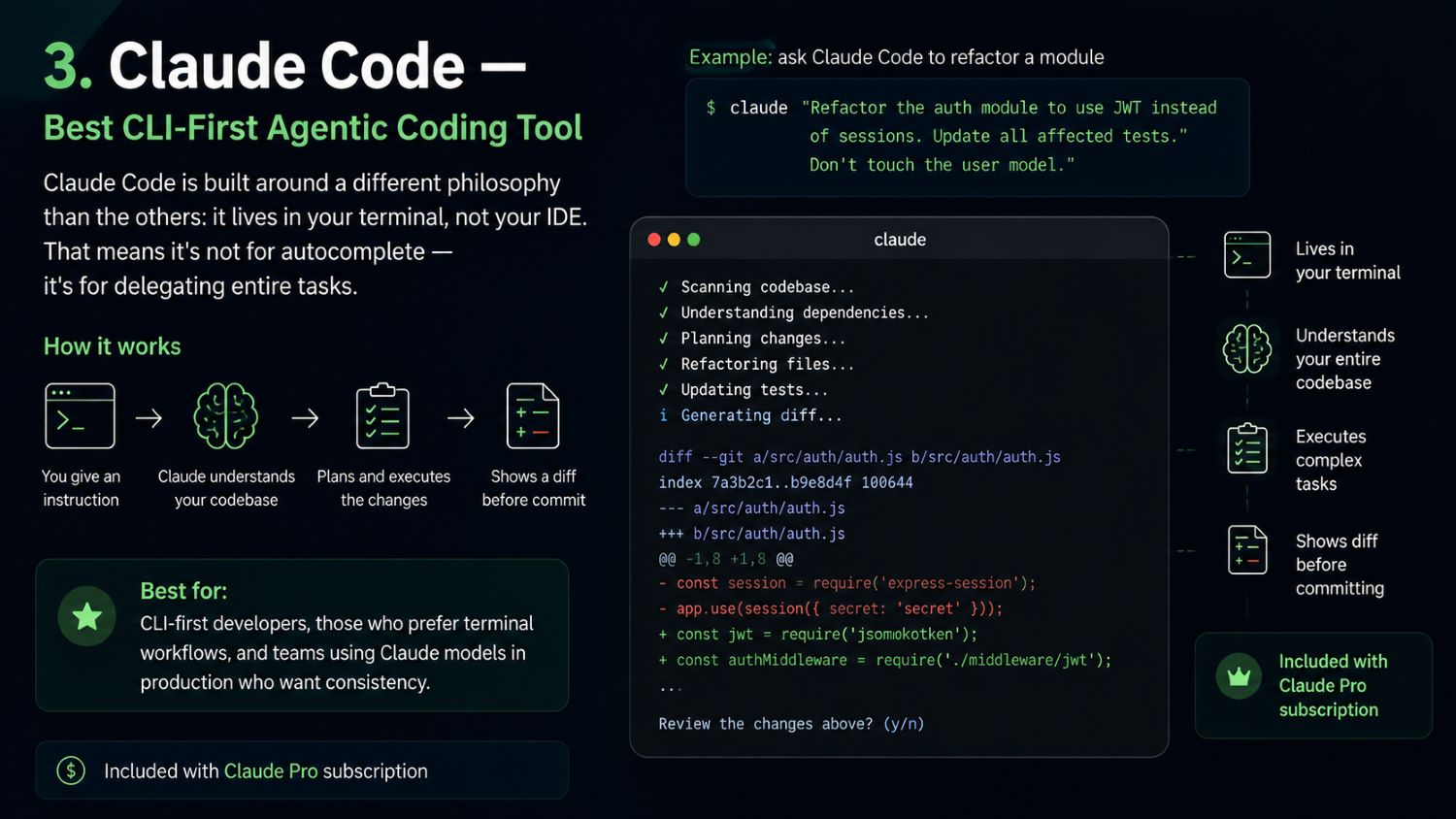
3. Claude Code — Best CLI-First Agentic Coding Tool
Claude Code is built around a different philosophy than the others: it lives in your terminal, not your IDE. That means it’s not for autocomplete — it’s for delegating entire tasks.
# Example: ask Claude Code to refactor a module
claude “Refactor the auth module to use JWT instead of sessions.
Update all affected tests. Don’t touch the user model.”
It understands your entire codebase without you manually selecting files, plans the changes, executes them, and shows you a diff before committing. Included with Claude Pro subscription.
Best for: CLI-first developers, those who prefer terminal workflows, and teams using Claude models in production who want consistency.
4. Codeium — Best Free AI Code Completion Tool
Codeium is the strongest free alternative in 2026, full stop. Unlimited autocomplete and chat for personal use, with consistently low latency.
It won’t match Cursor for complex multi-file agentic tasks, but for inline code suggestions and quick refactors, it’s genuinely excellent — and the price is hard to argue with.
Best for students, hobbyists, and developers who want to try AI-assisted coding without paying.
5. Tabnine — Best for Enterprise Data Privacy
If your company handles sensitive data, works in healthcare, finance, or government, or has a strict IP policy, Tabnine is the most credible option.
It offers fully air-gapped, self-hosted deployment — your code never leaves your infrastructure. The trade-off is that suggestion quality lags behind Cursor and Copilot for complex tasks.
Best for any org where data sovereignty is non-negotiable.
6. Augment Code — Best for Large Codebases and Monorepos
Augment Code’s Context Engine provides deep semantic indexing across your entire codebase. In testing on a 450K-file monorepo, it delivered the most accurate cross-service understanding of any tool we tested. Its Auggie CLI scored 51.80% on SWE-bench Pro — the top result at time of testing.
Best for: senior engineers and platform teams dealing with large, complex, multi-service codebases.
Choose the Right AI Coding Assistant by Developer Profile
The biggest mistake people make when choosing an AI coding assistant is thinking it is the same, for everyone. Here’s how to match tool to situation:
Solo developer or freelancer: prioritize speed and free tiers
If you’re working alone and watching your budget, start with Codeium (free) or the Cursor free plan. You get artificial intelligence assistance from both without having to pay every month.
pgrade to Cursor Pro which costs twenty dollars, per month when you are writing complicated prompts that the free versions cannot handle.
Startup team (2–20 devs): prioritize agentic workflows and cost at scale
At this stage, developer velocity is everything. Cursor Business at $40/user/month is the most common recommendation — teams get background agents, multi-file edits, and admin controls without enterprise overhead.
Claude Code pairs well here if your team uses the Claude API in production and wants consistent model behavior.
Enterprise engineering org: prioritize privacy, compliance, and on-prem options
For teams with than 50 developers who need to follow certain rules here are some options to consider:
* Tabnine, which can be fully controlled on your servers
* Augment Code, which is good at handling big codebases
* GitHub Copilot Enterprise, which works seamlessly with GitHub
Before choosing one try out two or three tools with a small group.
A good way to do this is to run a test, with 10 developers for a month.
This will give you information to make a decision.
Python and data science developers: best AI coding assistant for Python workflows
Python is the best-supported language across almost every tool. That said, GitHub Copilot and Cursor consistently top accuracy benchmarks for Python-specific patterns — data pipelines, pandas/numpy idioms, and ML boilerplate.
Codeium is the best free option for Python developers specifically.
Data Privacy: What Happens to Your Code When You Use an AI Assistant?
This is the question every developer should ask before connecting a tool to their codebase — and the one most review articles skip entirely.
Is your code used to train AI models?
The short answer: it depends, and the defaults often aren’t what you’d expect.
| Tool | Code used for training? | Opt-out available? |
| GitHub Copilot (Free/Pro) | Yes, by default | Yes (in settings) |
| GitHub Copilot Business/Enterprise | No | N/A |
| Cursor | No (as of 2026 policy) | N/A |
| Codeium | No | N/A |
| Tabnine | No | N/A |
| Claude Code | No | N/A |
Rule of thumb: always check the vendor’s current data processing agreement (DPA), not just their marketing page. Policies change — especially as these companies face increasing regulatory scrutiny.
Tools with true air-gapped or self-hosted options
For teams where code cannot leave the building:
- Tabnine — full self-hosted deployment, runs on your own GPU infrastructure
- Continue (open source) — use local models via Ollama, fully offline
- Amazon Q Developer — air-gapped option for AWS GovCloud environments
SOC2 compliance and enterprise security checklist
Before signing an enterprise contract, verify:
- [ ] SOC2 Type II certified
- [ ] GDPR / CCPA data processing agreement available
- [ ] Data retention period stated in writing
- [ ] Option to delete your data on request
- [ ] SSO/SAML integration supported
Advanced Tips: How to Get More Out of Any AI Coding Assistant
How to verify AI-generated code (the 29% trust gap problem)
Only 29% of developers fully trust AI-generated code accuracy — and that skepticism is healthy. Here’s a practical verification checklist:
- [ ] Run all existing unit tests before merging AI changes
- [ ] Review the diff line by line — don’t just skim
- [ ] Ask the AI to explain the change: “Why did you choose this approach?”
- [ ] Check for hardcoded secrets, credentials, or environment assumptions
- [ ] Confirm edge cases: empty inputs, null values, large datasets
Use AI for test generation — not just code writing
Most developers underuse AI for testing. Once you’ve written a function, try:
# In Cursor or Claude Code:
“Write comprehensive unit tests for the create_user() function.
Cover happy path, duplicate email, and missing required fields.”
AI-generated tests often catch edge cases you’d miss writing them manually — and they dramatically speed up the red-green-refactor cycle.
Prompt patterns that dramatically improve suggestion quality
Vague prompts return vague code. These patterns consistently produce better output:
| Instead of… | Try… |
| “Fix this bug” | “This function returns None when the user is not found. Handle that case by raising a UserNotFoundError instead.” |
| “Add tests” | “Write pytest unit tests for get_order(). Mock the database call. Cover 404 and 500 responses.” |
| “Refactor this” | “Refactor this function to reduce nesting depth to max 2 levels. Don’t change the function signature.” |
Context-loading: how to give AI better codebase awareness
Tools like Cursor and Augment Code can read your whole repo — but they work better when you help them focus:
- Open the relevant files before prompting
- Reference specific functions by name: “Update the validate_token() method in auth/middleware.py”
- Use a .cursorrules or .claude config file to encode your team’s conventions
Cursor vs GitHub Copilot: Head-to-Head Comparison
These two tools dominate the conversation in 2026. Here’s the direct comparison:
| Cursor | GitHub Copilot | |
| Best at | Complex multi-file edits, agentic tasks | Single-file autocomplete, GitHub integration |
| Model access | Claude Sonnet 4, GPT-4o (your choice) | Claude Sonnet 4 (default CLI), GPT-4o |
| IDE | Custom VS Code fork | VS Code, JetBrains, Neovim, Vim |
| Agentic mode | Yes — background agents on isolated VMs | Yes — Agent Mode (Feb 2026) |
| Price (individual) | $20/mo Pro | $10/mo Pro |
| Free tier | Yes (limited) | Yes (2,000 completions) |
| Privacy (paid) | Code not used for training | Code not used for training |
When to choose Cursor over Copilot (and vice versa)
Choose Cursor when you’re doing greenfield development, heavy refactoring, or building full features from a spec. The agentic capabilities and model flexibility are genuinely superior.
When you are using GitHub and you want something that’s easy to set up GitHub Copilot is a good choice. It does not disrupt the way your team works. It is also very affordable at $10 per month for individuals.
Final Verdict: Which AI Coding Assistant Should You Use?
The AI coding assistant is not the one with the most features it is the one that works well with your workflow without making you change the way you do things.
Here is the answer that is right, for you based on your profile:
- Solo dev / freelancer → Start with Codeium free. Upgrade to Cursor Pro when you need agentic power.
- Startup team → Cursor Business. Background agents + multi-file editing at a predictable cost.
- Enterprise org → Tabnine (privacy-first) or Augment Code (large codebases). Run a paid pilot before committing.
- Python / data science → Cursor or GitHub Copilot. Both are excellent for Python-heavy workflows.
Frequently Asked Questions About AI Coding Assistants
What is the best AI coding assistant in 2026?
Cursor is the best overall AI coding assistant in 2026 for most developers — it combines superior multi-file editing, background agentic mode, and flexible model access. For free options, Codeium leads. For enterprise privacy needs, Tabnine is the top choice.
Is there a free AI coding assistant that is actually good?
Yes. Codeium offers unlimited autocomplete and chat for free with no usage cap. Gemini Code Assist also has a generous free tier (6,000 requests/day). Both are legitimately useful — not just marketing trials.
What is the difference between an AI coding assistant and an AI coding agent?
A coding assistant helps you write code inline — it suggests, you decide. A coding agent acts autonomously: it plans a task, writes code across multiple files, runs tests, and presents a diff for review. Most tools in 2026 now offer both modes.
Will AI coding assistants replace software developers?
No — but developers who use AI tools well will outcompete those who don’t. The role is shifting toward directing and verifying AI output rather than writing every line manually. Understanding architecture, patterns, and testing remains essential — perhaps more so, because you need to evaluate what the AI produces.
How do I know if the code an AI assistant wrote is correct and safe?
Run your full test suite, review the diff manually, ask the AI to explain its reasoning, and check for hardcoded credentials or security assumptions. Don’t merge AI-generated code you haven’t read. The trust gap is real — 29% of developers fully trust AI accuracy — and a quick review is cheap compared to a production incident.